











 GPT-powered ticket routing
 Email & WhatsApp inbox
 Sentiment detection
 1-60 min check intervals.
 Email & Google Chat alerts
 Global Checks
 Auto-trains on any URL
 Built-in lead capture
 One-line JS embed

























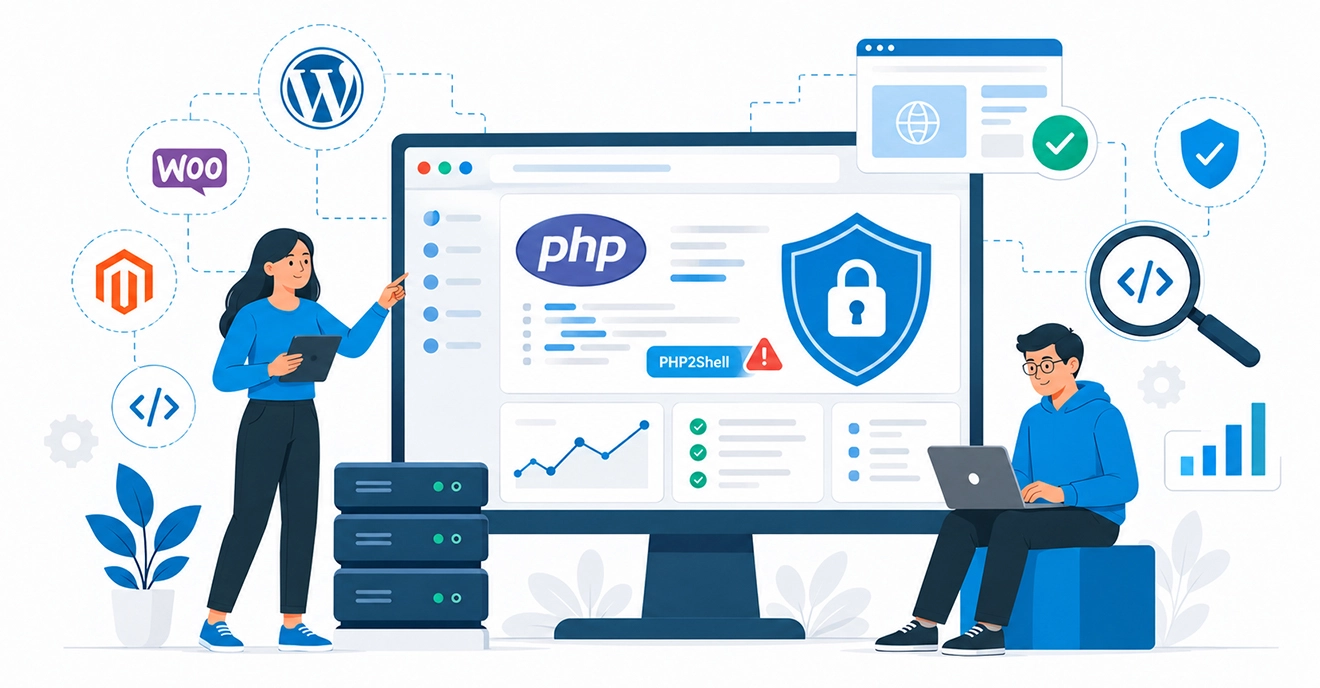
If your website runs on WordPress, WooCommerce, Magento or any custom PHP setup, there’s a security issue you should know about this week. It’s called PHP2Shell, and the fix came out on 21 October 2026.
PHP2Shell is the name for two serious flaws, CVE-2026-109618 and CVE-2026-109619, that could let attackers run their own code on a web server without logging in. Your site may be affected even if your website code is perfectly fine.
There’s no need to panic. In this post, you’ll learn what PHP2Shell is in plain words, how to tell if your site may be at risk, and what a safe fix looks like.
PHP2Shell at a glance
- Name: PHP2Shell
- CVE IDs: CVE-2026-109618, CVE-2026-109619
- Severity: Critical (CVSS v4.0 score 9.2)
- Disclosed and fixed: 21 October 2026
- Affected: PHP versions going back to PHP 5.4, in default setups (mod_php and PHP-FPM)
- Fixed versions: PHP 8.2.35, 8.3.36, 8.4.27 and 8.5.12
- Attacks: Seen before the fix was released (first attempt recorded on 17 October 2026)

What Is PHP2Shell?
PHP2Shell is a pair of security flaws in PHP itself, the language that runs most websites on the internet. They could let someone take control of a website’s server without a password.
Think of PHP as the engine under your website. Your theme, plugins and pages are the car body. PHP2Shell is a problem in the engine, so it doesn’t matter how well the body is built.
According to CrowdStrike, a single anonymous request was enough to make a test server run a command chosen by the attacker, with no login, no session and no vulnerable website code involved. Datadog’s researchers reached a similar conclusion. They found that website login screens can’t block the attack, because PHP handles the harmful request before any website code runs.
The good news is that a fix exists. PHP released the fixed versions 8.5.12, 8.4.27, 8.3.36 and 8.2.35 and urged every PHP user to update right away in its official security advisory.
Who May Be Affected
Your site may be affected if it runs on PHP and the server hasn’t been moved to one of the fixed versions yet. That includes most small business sites, blogs and online stores.
The most common setups at risk:
- WordPress sites, whether a blog, business site or portfolio
- WooCommerce, Magento and Shopware stores. Sansec notes these stores are exposed even when their own code is clean, because the flaws sit in the PHP engine
- Custom PHP websites and web apps, including Laravel and CodeIgniter builds
- Sites on older PHP versions. If you’re on PHP 8.1, 7.4 or older, read the next section carefully
Being on a well-known hosting company doesn’t automatically mean you’re safe. Some hosts update PHP for you, while others leave it to you. Many shared hosting plans let each site pick its own PHP version, and old versions often stay switched on for years.
Not sure which PHP version your website runs on?
HMMBiz will check it for you, for free. You’ll get a plain answer: affected, not affected, or needs a closer look.
PHP2Shell vs WP2Shell: Not the Same Thing
If PHP2Shell sounds familiar, you may be thinking of WP2Shell. They’re two different problems with two different fixes.
- WP2Shell (July 2026) was a flaw in WordPress itself. WordPress released emergency security updates for it on 17 July. You fixed it by updating WordPress.
- PHP2Shell (October 2026) is a flaw in PHP, the layer underneath WordPress. You fix it by updating PHP on the server.
So if you patched WordPress in July, that doesn’t cover PHP2Shell. And updating your WordPress plugins this week won’t fix it either. No WordPress security fix can, because the flaw sits in PHP itself.
Why Fixing It Isn’t Just a Server Update
On paper, the fix sounds simple: update PHP. As Sansec puts it, the fix is a PHP update on the server, and it can’t be done from inside your website code. In practice, three things make it harder than clicking a button.
1. Older PHP versions don’t get this fix
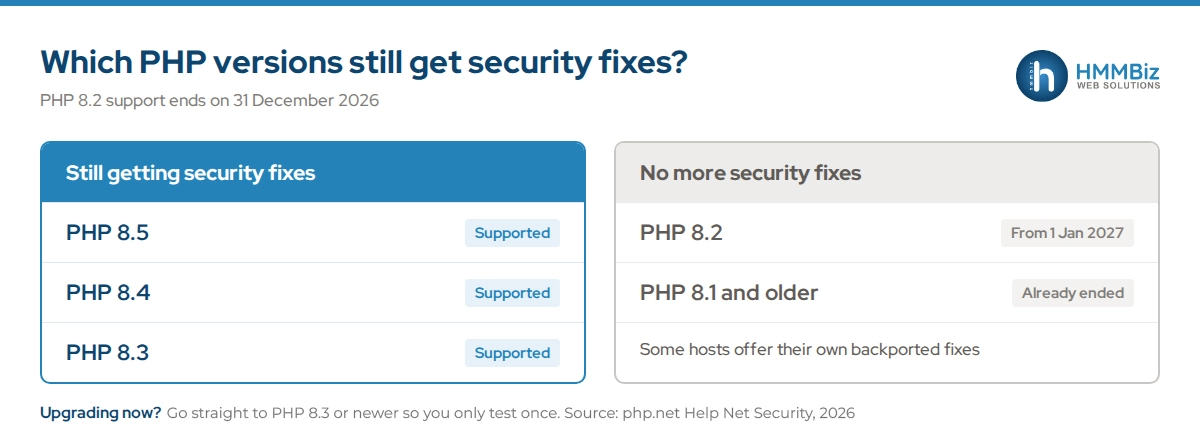
The PHP project no longer supports PHP 8.1 and earlier. Some hosting providers offer their own backported fixes, but users on these versions should check with their provider or move to a supported version.
Jumping from PHP 7.4 or 8.1 to 8.3 or 8.4 is a big move. Old themes, plugins and custom code can break, sometimes on the checkout page or contact form where you’d least want it.
2. A patch doesn’t clean up anything that already got in
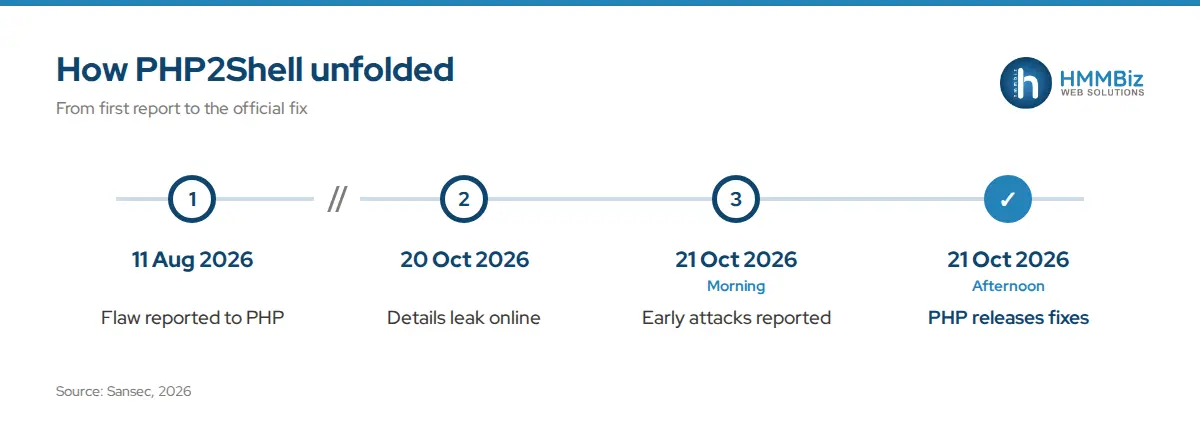
Attack attempts were seen before the fix was released. Amazon’s threat intelligence team recorded an exploitation attempt on 17 October, four days before the flaws were made public. According to Sansec’s timeline, Cloudflare reported early attacks on the morning of 21 October, hours before PHP published the fixed versions.
Updating PHP closes the door, but it won’t remove anything an attacker may have left behind, like a hidden file or an extra admin user. That needs a separate check.
3. Your hosting setup decides who can update
On shared hosting, PHP is often controlled by the hosting company. On a VPS or cloud server, it’s usually your responsibility, or your developer’s. A lot of businesses aren’t sure which one they have, and that’s normal.
Worried an update might break your site?
That’s exactly where HMMBiz comes in. We test your theme, plugins and custom code against the new PHP version before anything goes live.
How to Check Your PHP Version in 2 Minutes
You can find your PHP version yourself before asking anyone.
For WordPress sites
- Log in to your WordPress dashboard
- Go to Tools → Site Health → Info
- Open the Server section and look for “PHP version”
For cPanel hosting
- Log in to cPanel
- Open Select PHP Version or MultiPHP Manager
- Note the version shown for your domain
What the number means
- 8.2.35, 8.3.36, 8.4.27, 8.5.12 or newer in the same line: You’re on a fixed version. A security check is still a good idea.
- Lower within the same line (for example 8.3.30): You need the latest update for that line.
- 8.1, 8.0, 7.x or older: No official fix for your version. You need an upgrade.
Note: some hosting companies apply the fix without changing the version number shown. If your version looks older than the fixed releases, check with your host or request our free check before assuming you’re affected.
How HMMBiz Fixes PHP2Shell: Our 7-Step PHP Vulnerability Fix
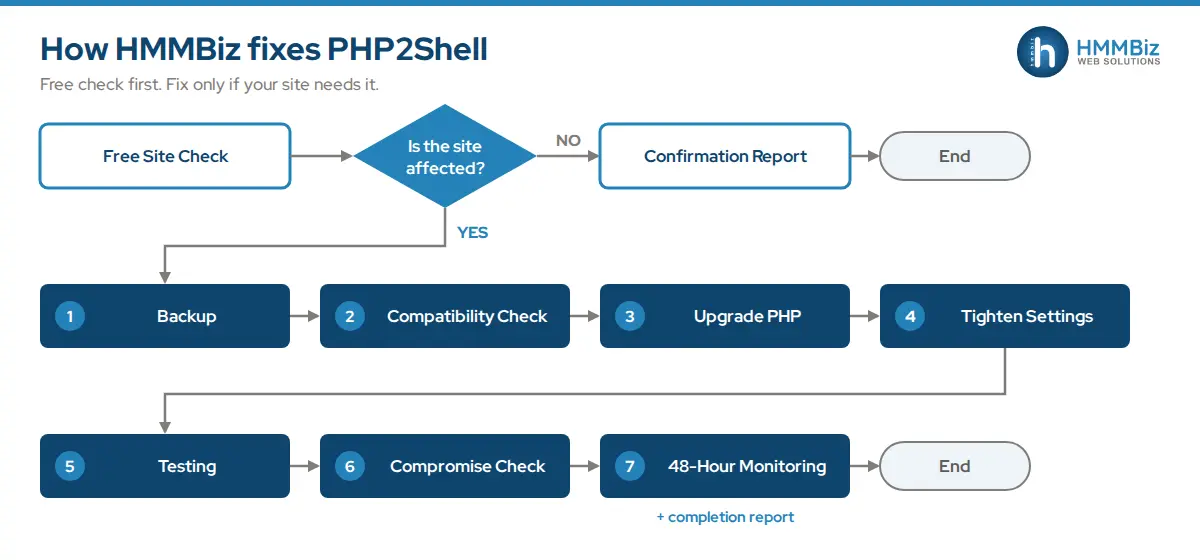
When PHP2Shell was disclosed, we patched the servers we manage within 24 hours of the fix being released. Every HMMBiz fix starts with a free “Is my site affected?” check. If your site needs work, our team follows the same seven steps every time, so nothing gets skipped under deadline pressure.
- Full backup. We back up your files and database before touching anything, so your site can be restored if needed.
- Theme and plugin compatibility check. We test whether your theme, plugins and custom code work on the new PHP version, and fix or replace anything that doesn’t.
- Move to the latest patched PHP version. We upgrade to the newest fixed release your site can safely run, not just the minimum.
- Tighter PHP settings. We switch off PHP features your site doesn’t use, which gives attackers fewer ways in.
- Testing. We test the pages that matter: forms, checkout, logins, search and key landing pages.
- Compromise check. We look for signs of past tampering, like unknown files, new admin accounts or changed code.
- 48-hour monitoring and a completion report. We watch your site for two days after the fix. Then you get a plain-language report of what we found, what we changed and what’s next.
Is your website one of the affected ones?
If it is, HMMBiz will handle the fix from backup to final report, without you needing to understand any of the technical side. If it isn’t, you’ll know for sure in a day.
 +1 862-246-6249
The Next Deadline: PHP 8.2 Support Ends 31 Dec 2026
PHP2Shell isn’t the last update you’ll need this year. PHP 8.2 reaches end of life on 31 December 2026, which means it will stop getting security fixes after that date. PHP 8.1 already has.
If you’re upgrading now, it makes sense to go straight to PHP 8.3 or 8.4 where your site supports it. That way you do the testing once, instead of again in ten weeks. Our PHP upgrade service includes this compatibility testing as standard.
FAQs
1. What is PHP2Shell in simple terms?
PHP2Shell is a pair of serious security flaws in PHP, the software that powers most websites. They could let an attacker take control of a website’s server without logging in. The fix is to move the server to PHP 8.2.35, 8.3.36, 8.4.27, 8.5.12 or a newer supported version.
2. Is my WordPress site affected by PHP2Shell?
Your WordPress site may be affected if the server runs PHP on a version older than the fixed releases. You can check under Tools → Site Health → Info → Server in your WordPress dashboard. Updating WordPress or your plugins won’t fix it, because the flaw is in PHP, not WordPress.
3. How is PHP2Shell different from WP2Shell?
WP2Shell was a July 2026 flaw in WordPress itself and was fixed by updating WordPress. PHP2Shell is an October 2026 flaw in PHP, the layer underneath WordPress, and is fixed by updating PHP on the server. Patching one doesn’t fix the other.
4. Can I just ask my hosting company to update PHP?
Yes, that’s a good first step, and some hosts will do it for you. If your site is on PHP 8.1 or older, though, the upgrade can break themes or plugins, so test it before going live. HMMBiz handles this testing as part of its PHP upgrade service.
5. How long does a PHP2Shell fix take, and what does it cost?
The HMMBiz “Is my site affected?” check is free. Most fixes are completed within 48 hours of approval, followed by 48 hours of monitoring. The cost depends on how old your PHP version is and how many plugins or custom features need testing, and you’ll get a clear quote after the free check.
6. What happens if I stay on PHP 8.2 after December 2026?
Your site will keep running, but PHP 8.2 will stop getting security fixes after 31 December 2026. Any new flaw found after that date won’t be patched for your version. Moving to PHP 8.3 or 8.4 now avoids a second upgrade in a few weeks.
References
1. Sansec — “PHP2Shell: Critical PHP RCE (CVE-2026-109618, CVE-2026-109619)” (2026)
2. Help Net Security — “PHP2Shell: Critical PHP vulnerabilities patched, update now!” (2026)
3. CrowdStrike — “CrowdStrike Protects Customers from Threats Delivered via PHP2Shell” (2026)
4. Datadog Security Labs — “PHP2Shell: Critical vulnerabilities in PHP” (2026)
5. PHP — “Security advisory: Critical remote code execution vulnerabilities, update now” (2026)
6. Tenable — “php2shell (CVE-2026-109618, CVE-2026-109619): Frequently asked questions” (2026)
7. Malwarebytes — “PHP2Shell: Why websites are going offline for emergency security updates” (2026)
8. Mishcon de Reya — “Critical WordPress vulnerabilities drive active global exploitation” (2026)
 Table of Contents