












 GPT-powered ticket routing
 Email & WhatsApp inbox
 Sentiment detection
 1-60 min check intervals.
 Email & Google Chat alerts
 Global Checks
 Auto-trains on any URL
 Built-in lead capture
 One-line JS embed

























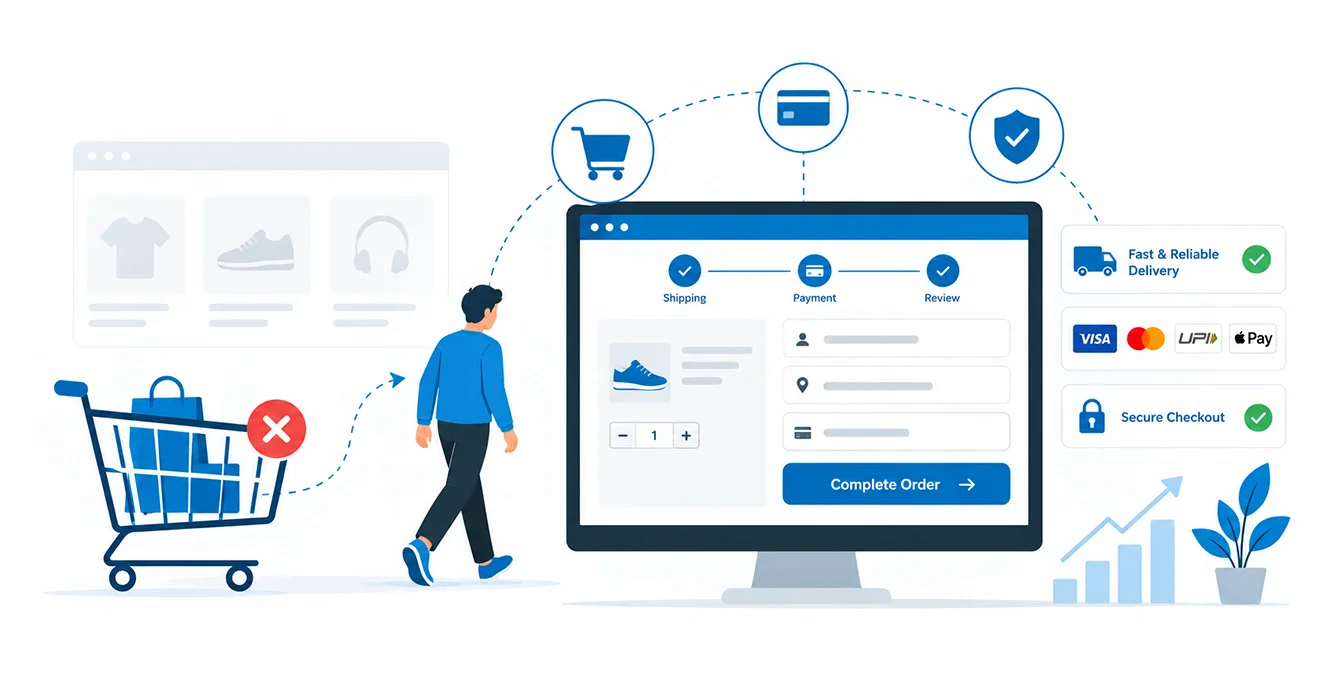
Seven out of ten shoppers who add a product to their cart never buy it. Baymard Institute puts the average cart abandonment rate at 70.22% across 50 studies, and the figure has barely moved in a decade¹. Most of that loss happens in the final metres: the checkout.
This guide shows you how to reduce cart abandonment with nine specific checkout fixes, from guest checkout to exit-intent offers. Each one maps to a documented reason shoppers quit, so you fix causes instead of guessing.
If you run an online store in India, the USA, the UK, Australia or the UAE, every fix below applies to your checkout as it exists today.
Why Shoppers Abandon Carts: The 2026 Data
Shoppers abandon carts for two kinds of reasons: they were never going to buy, or your checkout gave them a reason to quit. You can only fix the second group, and it is far bigger than most store owners assume.
According to Baymard Institute’s latest survey of US shoppers who abandoned a cart with genuine intent to buy, the top causes are extra costs that were too high (39%), delivery that was too slow (21%), not trusting the site with card details (19%), forced account creation (19%) and a checkout that was too long or complicated (18%)1. Every single one is a design or process decision you control.
The prize for getting it right is large. Baymard estimates that improved checkout design alone can raise conversion rates by 35.26% for large e-commerce sites1, and Dynamic Yield’s live benchmark currently tracks abandonment at 76.8%, with mobile the worst-performing device2. Checkout audits HMMBiz runs for e-commerce clients usually surface at least three of the nine issues below.
9 Checkout Fixes to Reduce Cart Abandonment
Work through these in order of impact for your store, not in the order listed. Your analytics will tell you which abandonment causes hit hardest; the flowchart further down helps you choose.
1. Make guest checkout the default
Forced registration pushed away 19% of shoppers who intended to buy1. Guest checkout removes that barrier without losing customer data, because you still capture the email address in the first step.
Implementation: Place “Continue as guest” above the login and register options, not beneath them. Then offer one-click account creation on the order confirmation page, where the customer’s details are already entered and the purchase anxiety has passed. On Shopify, set customer accounts to optional; on WooCommerce, enable guest checkout under Accounts & Privacy. If you run loyalty schemes, let guests earn points retroactively when they register later, so the incentive to sign up survives.
2. Show shipping costs before checkout begins
Unexpected extra costs are the biggest fixable cause of abandonment, cited by 39% of shoppers1. A delivery fee revealed at the payment step feels like a penalty, and 14% of shoppers quit simply because they could not calculate the total upfront1.
Implementation: Add a shipping estimator to the cart page keyed to postcode or city. State your free-shipping threshold in the site header and on product pages, then show a running order total, including estimated tax, on every checkout step. Selling cross-border into the UAE, Australia or the UK? Display estimated duties before payment, not in a surprise carrier invoice.
3. Cut your form fields in half
The average US checkout displays 23.48 form elements, yet Baymard’s testing shows an ideal flow needs only 12 to 141. Every unnecessary field is a small exit door.
Implementation:
- Merge first and last name into a single “Full name” field
- Default billing address to match shipping, hidden behind a checkbox
- Add address autocomplete via Google Places or Loqate
- Delete company, fax and “How did you hear about us?” fields entirely
- Mark phone number optional and explain why you ask (“for delivery updates only”)
Run the audit in one afternoon: screenshot your checkout, count every field, and justify each one or cut it.
4. Accept the payment methods your market already uses
Missing payment options cost you 10% of ready buyers1. Preferences differ sharply by market: UPI dominates Indian checkouts, Apple Pay and Google Pay lead in the US and UK, and Afterpay is the default instalment habit in Australia.
Implementation: Pull your payment mix by geography from analytics, then enable express wallet buttons at the top of the checkout rather than burying them under card fields. Add one buy now, pay later provider matched to your average order value before adding a second. For gateway selection by region, see HMMBiz’s guide to the best payment gateways for e-commerce.
5. Put trust signals next to the card field
19% of shoppers abandoned because they did not trust the site with their card details1. Trust is judged at the exact moment someone types a card number, not while they skim your footer.
Implementation: Place card scheme logos, a recognised security badge and a one-line PCI-DSS compliance note directly beside the payment fields. Repeat your returns policy in a single sentence on the payment step, and show a real support phone number or live chat entry point. Check for mixed-content warnings too; one insecure image on the payment page breaks the browser padlock and the shopper’s confidence with it.
How HMMBiz Closed the Gap Between Reputation and Online Sales
HMMBiz worked with an Australian industrial safety equipment brand whose online sales lagged behind its market reputation. We built and optimised a high-performance e-commerce platform, pairing technical development with a targeted SEO strategy. The outcome: improved visibility, higher traffic quality and stronger online conversion performance.
Read the Full Case Study: Australian Safety Equipment Brand
How many of these nine fixes is your checkout failing?
HMMBiz’s e-commerce development team audits checkouts against all nine and tells you which two will move revenue first.
6. Rebuild the checkout mobile-first
Mobile is where most carts now begin and where most abandonment happens; Dynamic Yield’s benchmark shows mobile consistently underperforming desktop within its 76.8% overall rate2. Most checkouts are still desktop layouts squeezed onto a small screen.
Implementation:
- Tap targets of at least 48px for every button and link
- Numeric keyboards for card, CVV and phone inputs (inputmode=”numeric”)
- A collapsed, expandable order summary so the payment button stays visible
- No popups, chat prompts or upsells inside the checkout flow
Test the full purchase on a 360px viewport monthly. If the flow needs redesign rather than patching, that is UI/UX design work, not a plugin setting.
7. Remove errors and speed up every step
15% of abandoners quit because the website crashed or threw errors1. To an impatient buyer, a slow step and a broken step look identical.
Implementation: Monitor your checkout URLs with real-user monitoring, not just lab tests, and keep Largest Contentful Paint under 2.5 seconds on each step. Validate form fields inline as the shopper types instead of rejecting the whole page on submit. Preserve cart contents and entered data when a session drops, and rewrite error messages to say what to do next; “Invalid input” recovers nobody.
8. Send recovery emails and SMS within the hour
Abandoned cart recovery emails are the highest-performing automation in e-commerce, averaging a 50.5% open rate3. Timing beats clever copy: the first hour wins.
Implementation: Build a three-message sequence. Send a plain reminder with cart contents and a link back to a pre-filled checkout at one hour, social proof and objection handling at 24 hours, and an optional incentive at 48 to 72 hours. Add SMS for opted-in customers on high-value carts. Resist leading with a discount every time, because regular discounts train shoppers to abandon deliberately and wait for the code.
9. Deploy exit-intent offers, sparingly
An exit-intent prompt is your last chance to hold a leaver, and it works best when it is rare. Fire it on every visit and shoppers learn to ignore it, or worse, to expect a discount before they buy anything.
Implementation: Trigger on cursor-leave for desktop and rapid scroll-up for mobile, capped at one display per session. Test offers other than money off first: a free-shipping threshold reminder, a “save your cart” email capture, or a guaranteed delivery date. Always measure against a no-popup control group before rolling out, because exit popups can suppress conversions on some audiences.
Where to Start: Quick Wins vs Structural Fixes
Start with the fixes that need no development sprint. Trust signals (fix 5), upfront cost messaging (fix 2) and a recovery email sequence (fix 8) can go live within a week on most platforms, and each targets a documented abandonment cause.
Structural fixes deserve proper scoping. Guest checkout on a legacy platform (fix 1), new payment integrations (fix 4), a mobile-first rebuild (fix 6) and performance work (fix 7) are development projects that typically run four to eight weeks.
Let your funnel data decide the order. If mobile abandonment sits ten points above desktop, prioritise fixes 6 and 7; if drop-off spikes at the account step, start with fixes 1 and 3. HMMBiz opens every checkout engagement with this comparison because it turns nine options into a two-item priority list.
Losing seven of every ten carts is not a cost of doing business. It is a design problem with a known fix list.
HMMBiz builds and optimises e-commerce checkouts for brands across five markets, from full platform builds to conversion-focused UI/UX.
 +1 862-246-6249
FAQs
1. What is a good cart abandonment rate in 2026?
Anything below the documented 70.22% average beats the typical online store (Baymard Institute, 20261). Rates vary sharply by vertical, with fashion and travel running far higher than groceries, so benchmark against your own industry and your own trend line. A good rate is one that falls month on month.
2. How do I calculate my cart abandonment rate?
Divide completed orders by carts created, subtract the result from one, then multiply by 100. If 1,000 shoppers created carts and 280 purchased, your cart abandonment rate is 72%. GA4 reports this through funnel exploration once your checkout events are tagged.
3. Do abandoned cart emails actually work?
Yes. Abandoned cart flows average a 50.5% open rate, the strongest of any automated e-commerce email (Klaviyo3). The first message matters most: send it within an hour, include the cart contents and link straight back to a pre-filled checkout.
4. How is checkout optimisation different from conversion rate optimisation?
Checkout optimisation is the subset of conversion rate optimisation that covers only the steps between cart and order confirmation. CRO examines the whole journey, from landing page to purchase. HMMBiz treats the checkout as the highest-value CRO zone because everyone inside it has already decided to buy.
5. How much does it cost to fix an e-commerce checkout, and how long does it take?
Cost depends on how many fixes need structural work rather than configuration. Quick wins such as trust signals, upfront cost display and recovery emails usually ship within one to two weeks, while payment integrations and mobile-first rebuilds typically take four to eight weeks. HMMBiz scopes checkout projects after a short audit, so you only pay for the fixes your data justifies.
6. Should I offer buy now, pay later at checkout?
Yes, if your average order value is high enough for instalments to influence the decision. Insufficient payment methods cause 10% of abandonments (Baymard Institute¹), and BNPL providers such as Klarna and Afterpay close that gap on higher-value orders. Add one provider alongside cards and wallets, then measure uptake before adding a second.
REFERENCES
1. Baymard Institute – “50 Cart Abandonment Rate Statistics: Cart & Checkout” (2026)
2. Dynamic Yield by Mastercard – “Shopping Cart Abandonment Rate for eCommerce (XP2 Benchmark)” (2026)
3. Klaviyo – “Abandoned Cart Benchmark Report: Rates & Statistics” (2025)
 Table of Contents