











 GPT-powered ticket routing
 Email & WhatsApp inbox
 Sentiment detection
 1-60 min check intervals.
 Email & Google Chat alerts
 Global Checks
 Auto-trains on any URL
 Built-in lead capture
 One-line JS embed

























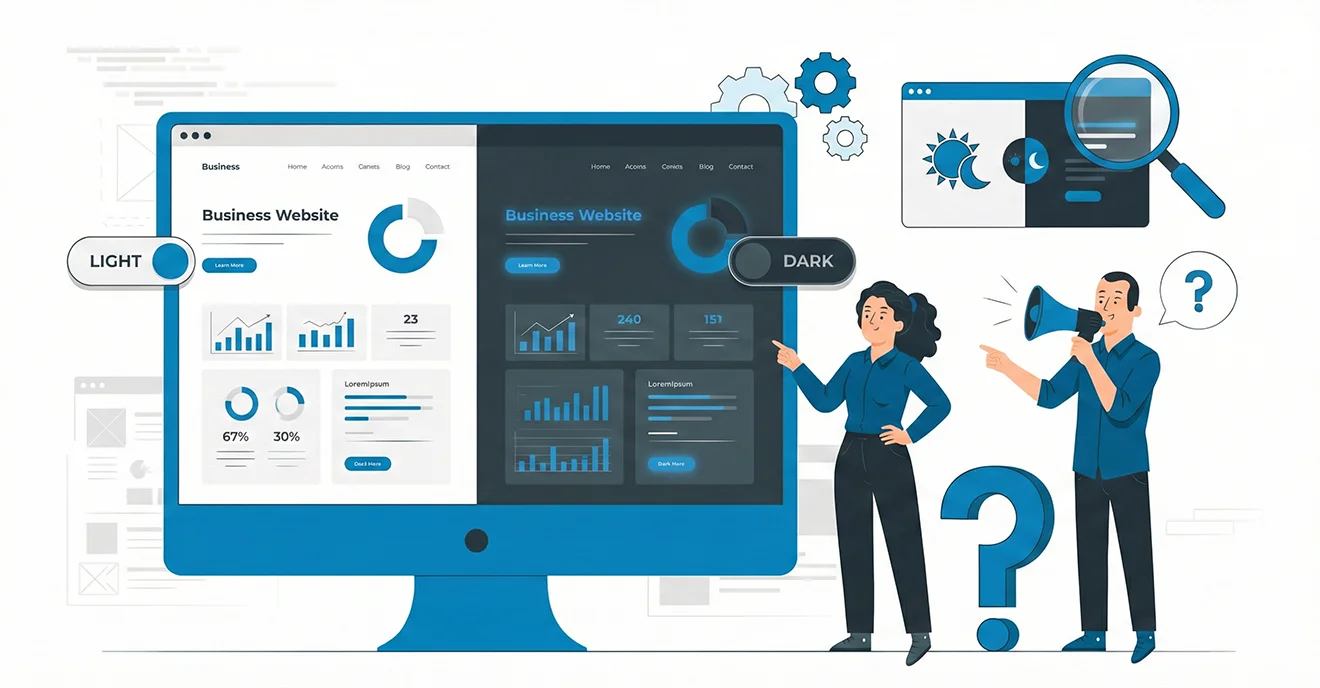
Dark Mode UI has moved from a design trend to a widely adopted interface option across websites, mobile apps, and operating systems. Many business owners now ask a practical question: Is dark mode right for my business website, or is it just a visual preference?
The answer depends on your audience, industry, content type, and business goals. This guide breaks down what dark mode UI is, when it works, when it doesn’t, and how it impacts user experience and brand perception.
What is Dark Mode UI?
Dark Mode UI is a design approach where dark backgrounds are paired with light text and interface elements. Instead of traditional white or light backgrounds, dark mode uses shades of black, grey, or deep colours to reduce brightness.
Dark mode can be:
- A default website theme
- An optional toggle for users
- System-based (auto-switching based on device settings)
Why Dark Mode Became Popular
Dark mode gained popularity due to:
- Increased screen usage across devices
- Growth of night-time browsing
- User preference for reduced brightness
- Adoption by major platforms and operating systems
However, popularity alone doesn’t make it suitable for every business website.
Benefits of Dark Mode for Business Websites
1. Reduced Eye Strain in Low-Light Environments
Dark mode can be more comfortable for users browsing at night or in low-light conditions.
2. Modern and Premium Brand Perception
When designed well, dark mode can:
- Look sleek and professional
- Enhance visual contrast
- Create a premium brand feel
3. Improved Focus on Visual Content
Dark backgrounds help highlight:
- Images
- Videos
- Product visuals
- Key call-to-action elements
4. Battery Efficiency (Limited Impact for Websites)
On OLED screens, dark mode may reduce battery consumption, though this benefit is more noticeable in mobile apps than websites.
Potential Drawbacks of Dark Mode UI
1. Readability Issues for Text-Heavy Content
Long-form content can become harder to read in dark mode, especially for:
- Blogs
- Educational pages
- Documentation
2. Accessibility Challenges
Poor contrast choices can:
- Reduce readability
- Affect users with visual impairments
- Violate accessibility standards
3. Brand Mismatch
Dark mode may not align with:
- Wellness or healthcare brands
- Educational platforms
- Brands focused on warmth, openness, or simplicity
4. Higher Design Complexity
Designing dark mode requires:
- Separate color systems
- Careful contrast management
- Thorough testing across devices
When Dark Mode Makes Sense for Your Business
Dark mode UI works well if your business:
- Targets tech-savvy or creative audiences
- Relies heavily on visuals or media
- Offers dashboards, SaaS platforms, or tools
- Wants to position itself as modern or premium
Industries where dark mode often performs well include:
- Technology and SaaS
- Media and entertainment
- Creative portfolios
- Gaming and data-driven platforms
When Dark Mode May Not Be the Right Choice
Dark mode may not be ideal if your website:
- Is content-heavy
- Serves older or less tech-oriented audiences
- Relies on light, friendly brand messaging
- Requires high readability across long sessions
In such cases, a traditional light UI may offer better usability.
Best Practices for Implementing Dark Mode
If you choose dark mode, follow these principles:
- Offer dark mode as an optional toggle, not forced
- Maintain proper contrast ratios
- Avoid pure black backgrounds; use dark greys instead
- Test readability across devices and lighting conditions
- Ensure brand colours remain consistent and accessible
A balanced approach ensures usability doesn’t suffer for aesthetics.
Ready to Design a Website That Fits Your Users?
Get a free consultation on user-focused web design and UX strategy.
FAQs
1. Is dark mode better for all websites?
No. Dark mode works well for some industries and audiences but may reduce readability for content-heavy websites.
2. Does dark mode improve SEO?
Dark mode itself doesn’t impact SEO directly, but poor UX or accessibility can indirectly affect rankings.
3. Should I offer both dark and light modes?
Yes. Giving users the choice often delivers the best user experience.
4. Is dark mode good for accessibility?
Only if designed correctly. Proper contrast and readability are essential to meet accessibility standards.
5. Does HMMBiz help decide the right UI design?
Yes. HMMBiz provides UI/UX strategy and design tailored to business goals and user behaviour.
 Table of Contents
  Never Miss a New Article